
If you have metals in your possession or stored at a third-party vault, you can mail them to IDS Texas (Dallas) for storage through the GoldSilver platform. To sell these metals through your account, they must first be received and checked into storage.
Your account must be fully verified and approved before you can access Mail-In Storage. Follow the steps below to submit a Mail-In Storage request.
Note: The screenshots below are examples only and do not represent your personal portfolio.
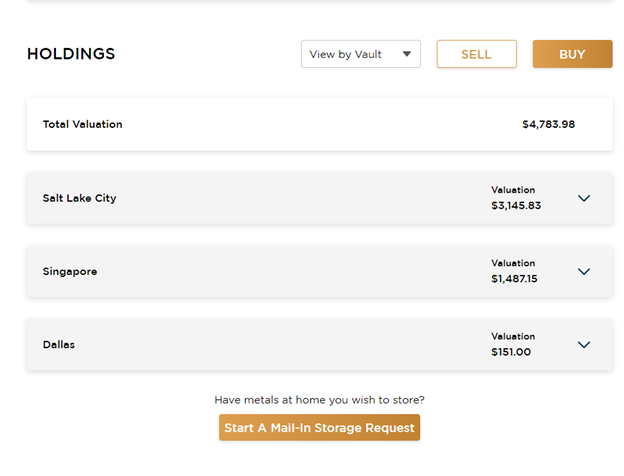
1. To start a Mail-in Storage request, log into your account and select the “Start a Mail-In Storage Request” option under your holdings
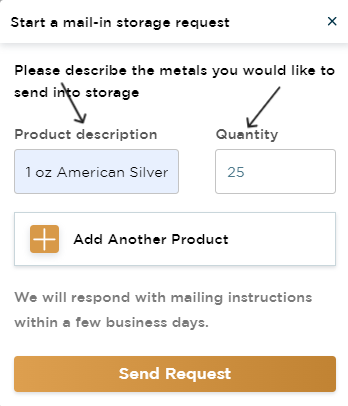
2. Enter the products and quantity you wish to store with us.
3. Select “Send Request”
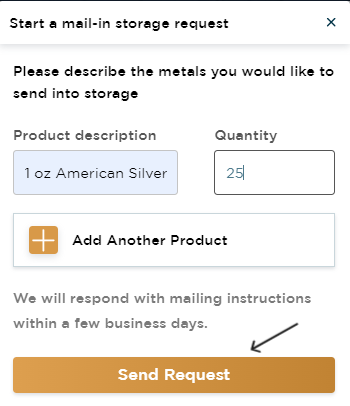
Once your request is submitted, our team will send you a packing slip with the inventory list to include inside your shipment. Prepaid shipping label options are also available for purchase. Please allow additional time for your metals to be received and checked into storage before your sellback price can be confirmed.
Please Note: Your sellback price is not locked in until you initiate a sellback after your metals have been checked into storage. Prices reflect live market rates at the time you confirm your sell order.
How do I initiate my sellback after metals are checked into storage? Once your metals are checked into storage, you can initiate your sellback by following these steps.
- Log in to your GoldSilver account online and scroll down until you see Holdings.
- Select Sell.
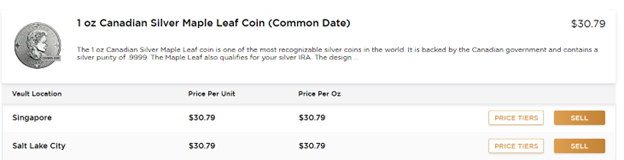
- Choose which assets you would like to sell.
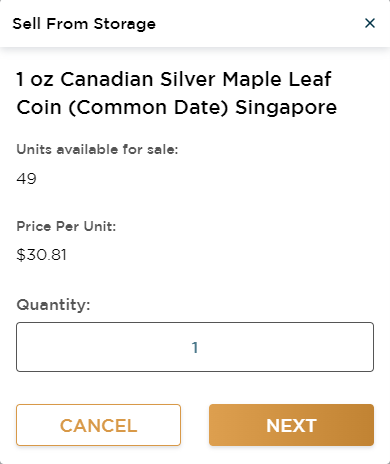
- Enter the quantity (e.g., 1).
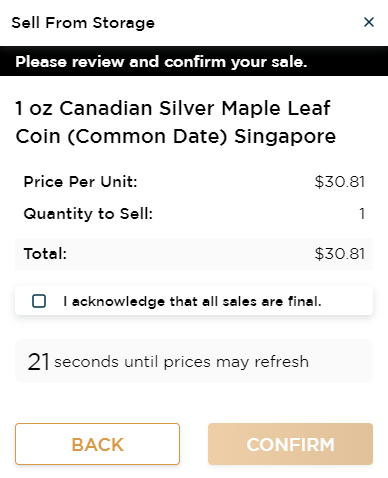
- Review your sell order details to confirm the asset, quantity, and estimated payout are correct.
- Acknowledge all sales are final and select Confirm.
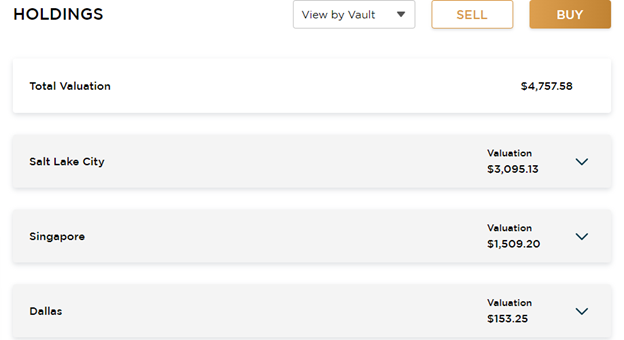
2. Select SELL
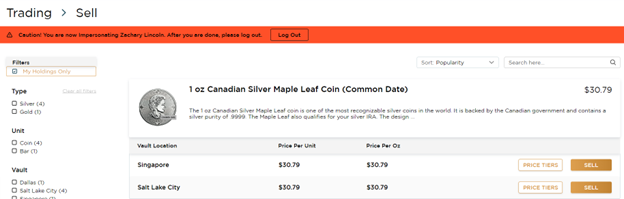
3. Choose which assets you would like to sell.
4. Enter the quantity, e.g. 1
5. Acknowledge all sales are final and select CONFIRM
Your funds will typically be available for withdrawal within 2 business days after your sell order is confirmed — however, processing times may vary. Please check your account dashboard or contact our support team for the most current timeframes. To ensure timely withdrawals, link your bank account to your GoldSilver account before initiating a sellback.
If your account status shows as Delivery Only, you must complete account verification before proceeding. Visit your account settings or contact support to verify your account.