
Does GoldSilver accept ACH payments?
GoldSilver accepts ACH payments. To prefund your account using ACH, you will first need to link your bank account to your GoldSilver account. Funds typically clear after 4 full business days from the deposit date.
How do I add a bank account for ACH deposits?
Follow these steps to link your bank account to your GoldSilver account for ACH deposits:
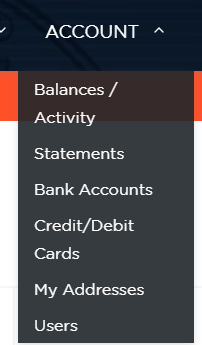
1. Log into your account and select “Bank Accounts” under the “Account” tab.
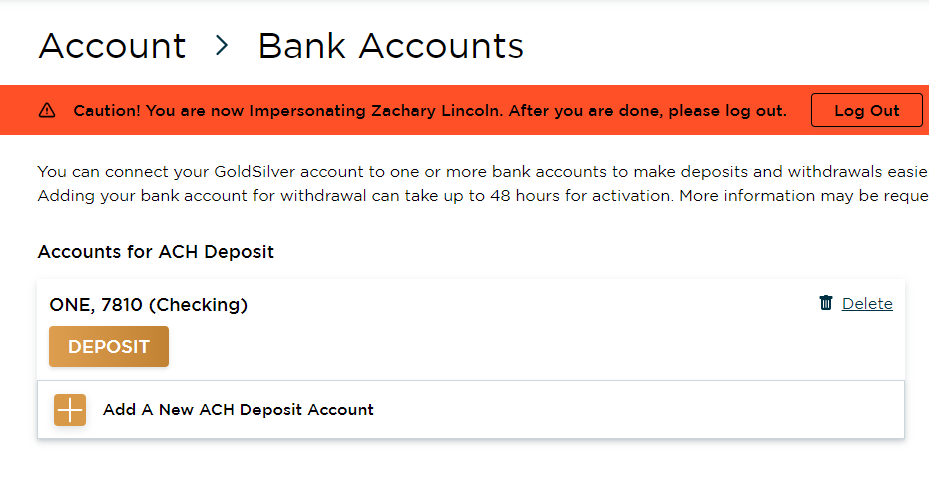
2. Select the “Add a New ACH Deposit Account” option
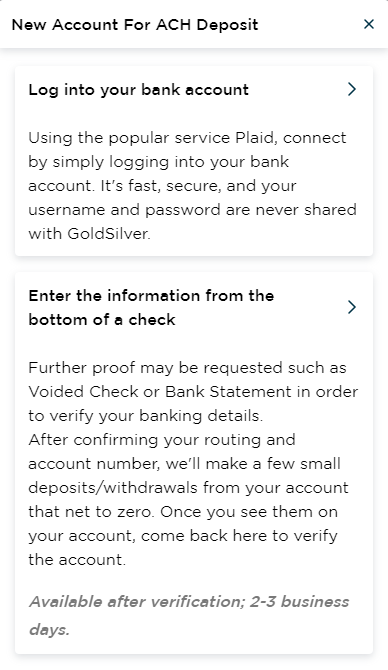
- Link the account via Plaid by using your bank login information, or by entering the routing and account numbers from the bottom of your check.
- Review the account details and select Submit (or Confirm) to complete the process. If you are adding your account manually, upload a clear color photo of a voided check matching the account when prompted before submitting. Please note: manual accounts also require 2 microdeposits to complete verification.
Once your bank account is approved, you will be able to fund your account using the ACH option. (Approval timing may vary — contact support for the current estimated timeframe. Additional information may be required, such as a voided check or bank statement.)
Adding your bank account under Wire Accounts now ensures it is ready for wire withdrawals in the future.