
How do I update my payment information?
You can update your payment information in three ways: call us at 1(888)319-8166, schedule a callback appointment, or log in to your account online. To ensure uninterrupted service, please update your details as soon as possible using one of the options below.
- Call Us – One of our knowledgeable Service Representatives can update your card over the phone. You can reach us 1(888)319-8166.
- Schedule an Appointment – Book a time that works for you using this link: Schedule a Callback Appointment
- Update Online – Log in to your account at https://app.goldsilver.com/login-email, then click on Account, then navigate to Balances/Activity , where you can locate the Card Autopay section. Click Edit to enter your new card details, then save your changes.
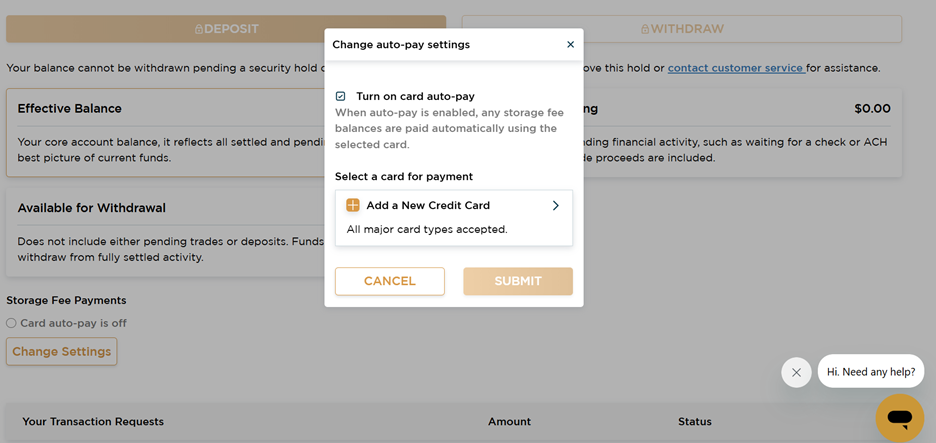
As a reminder, we have updated the storage invoice payment schedule from monthly to quarterly for your convenience.
To access all features of your GoldSilver account, please complete your account verification if you have not already done so.